What’s New in Kudos: Your Quarterly Product Update
Recognition
Updated on
May 5, 2026
by
Margaux Morgante

X min
Recognition
Updated on
May 5, 2026
by
Margaux Morgante
X min
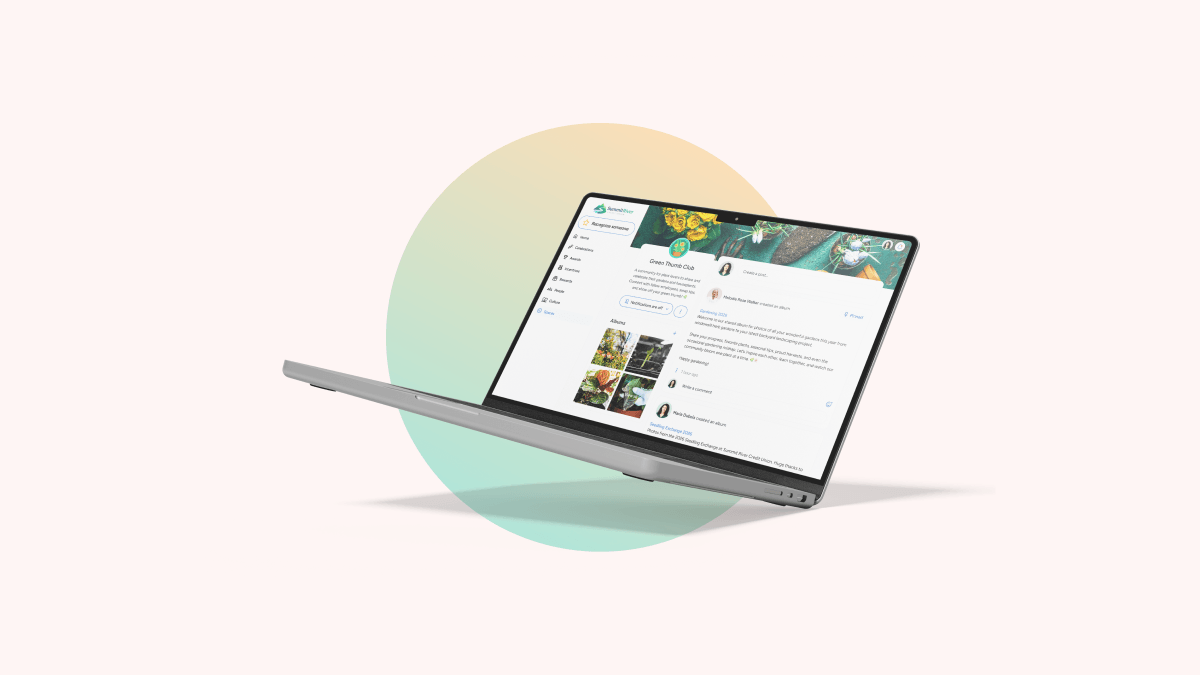
This quarter, we shipped meaningful updates across every corner of the Kudos platform. Recognition got richer with inline photos, qualities on awards, and bulk sending. Admins gained new role structures, smarter user provisioning controls, and a brand-new Award Activity report. And the big one: Spaces is now live for all clients. Read on for the full picture.
The challenge: Teams need a central place for culture to thrive; they need dedicated spaces to share, collaborate, and stay informed.
After months of development, Spaces is fully live for all clients on the Kudos platform. Spaces gives teams a dedicated home for content; think department hubs, project channels, or company-wide communication boards.
Each space comes with:
It’s a meaningful step toward a more connected employee experience, all within Kudos. See why we’re doubling down on community at work.

See Spaces in Action!
Join us for a conversation about why community matters at work, how organizations can create the conditions for it to grow, and a walkthrough of Kudos Spaces.
👉 Register
The challenge: Recognition should feel personal and reflect your culture
Admins can now enable qualities selection on awards, allowing senders to tie a specific value-aligned quality to the recognition they’re giving. When enabled, selecting a quality is required, ensuring every award is connected back to the values that matter most to your organization.
Users can now embed photos directly inline within their recognition messages, announcements, and card posts versus just as attachments. A small change that makes a big difference in how personal and expressive recognition can feel.
Admins now have full control over the questions asked during the nomination process. Up to 10 custom questions per nomination (1,000 characters each) can be configured via the new Edit nomination form button. All questions are required, ensuring every nomination submission is thorough and consistent.
The challenge: As organizations grow within Kudos, admin teams need more targeted, flexible tools to manage access and permissions without creating unnecessary complexity for everyday users.
We’ve expanded the available admin roles to provide more granular access control. The updated structure includes:
This is especially valuable for organizations that want to give HR business partners or team leads targeted ownership over specific platform areas without granting full admin access.
Sending the same award to a large group? You can now upload a CSV of recipient emails to send awards in bulk. Delegated access is also supported, so this capability extends to anyone who has the appropriate permissions.
Admins can now enable or disable single sign-on (SSO) just-in-time (JIT) user provisioning via a simple toggle on the SSO settings page. All existing Kudos accounts retain their current JIT behavior by default, while new accounts will have JIT disabled out of the box. A small but meaningful addition for IT teams managing security and onboarding workflows.
We’ve introduced the ability to mark teams as ‘Private.’ Private teams remain fully available to admins for reporting and segmentation but are hidden from end users during day-to-day use, ideal for internal org structures you don’t want surfaced in the recognition flow.
The challenge: HR leaders need data they can act on quickly
A new Award Activity report gives admins a dedicated view of all awards sent across the platform, with full filtering and CSV export capabilities. Track who’s sending, who’s receiving, and surface trends in how recognition is distributed across your organization.
The engagement activity report now includes qualities data, giving leaders visibility into which values and behaviors are being celebrated most across teams — a powerful signal for culture health and manager effectiveness.
The challenge: Organizations often have multiple HR data sources and keeping user records accurate and up to date without overwriting good data is a constant balancing act.
For organizations connected directly to their HRIS, admins can now exclude specific fields from being overwritten during imports. This means you can safely supplement your HRIS data with manual CSV updates without worrying that your next sync will undo your changes.
Admins can now update user email addresses directly through bulk CSV or FTP imports. The updated CSV workflow clearly flags email and employee ID changes before they’re applied, and affected users receive an automatic notification when their email is updated.
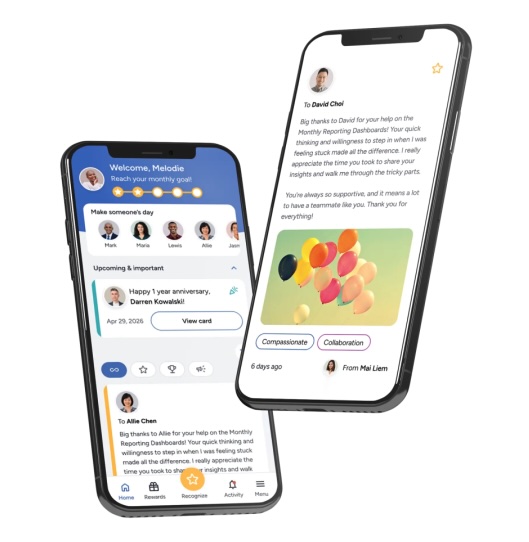
We’ve been systematically refreshing the mobile experience across the platform. This quarter’s updates include the home page, app menu, recognition flow, My Settings section, and mobile-specific views for Flagged Content, Announcements, Awards & Nominations, Incentives, and Reports. These are UI-only improvements designed to make the day-to-day Kudos experience on mobile feel as polished and intuitive as the desktop version.
Built for Today. Improving for Tomorrow.
These updates reflect our ongoing commitment to building a platform that grows with your organization. Every feature in this release was shaped by how real HR teams, platform admins, and employees actually use Kudos – and we’re just getting started.
If you’re an existing customer, reach out to your Client Success Manager to learn more about activating any of these features. If you’re exploring Kudos for the first time, we’d love to show you what a recognition platform built to evolve looks like.
See you next quarter with the next round of updates!
.jpg)

Discover the insights that will shape how your organization appreciates, engages, and retains talent.
Get Your Guide